What Are Custom Properties
Custom properties in Blindata provide a way to personalize the Blindata model by allowing users to add their own specified properties. These properties offer a flexible and customizable approach to metadata management, enabling users to tailor the system to their specific needs and preferences. By defining custom properties, users can create a more relevant and efficient data environment that aligns with their unique workflows and requirements.
Every resource in Blindata can be enriched with these key-value properties, known as additional properties. These properties can hold various types of data, such as text, numbers, dates, and more, providing a robust mechanism to capture detailed and specific information about each resource. This enrichment allows for a more comprehensive and insightful representation of the data, making it easier to manage, analyze, and utilize.
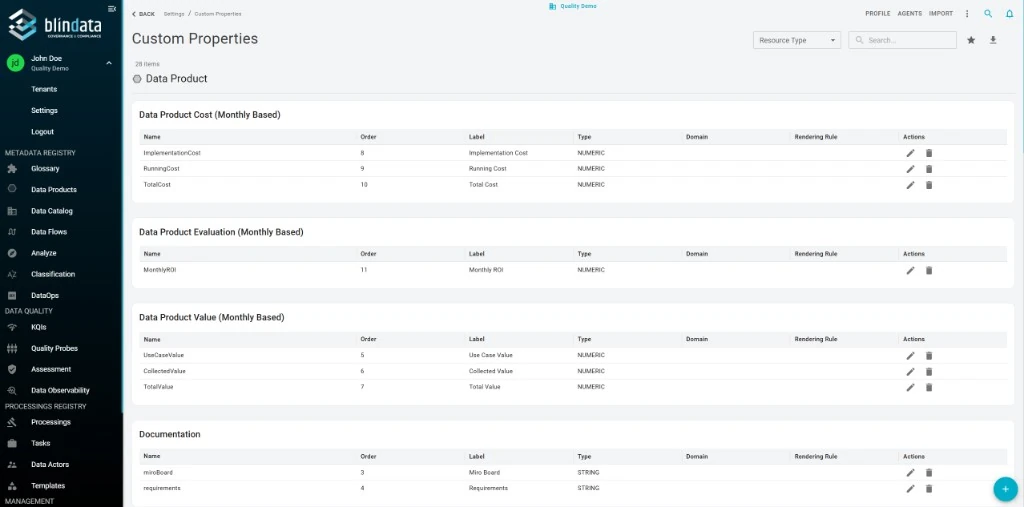
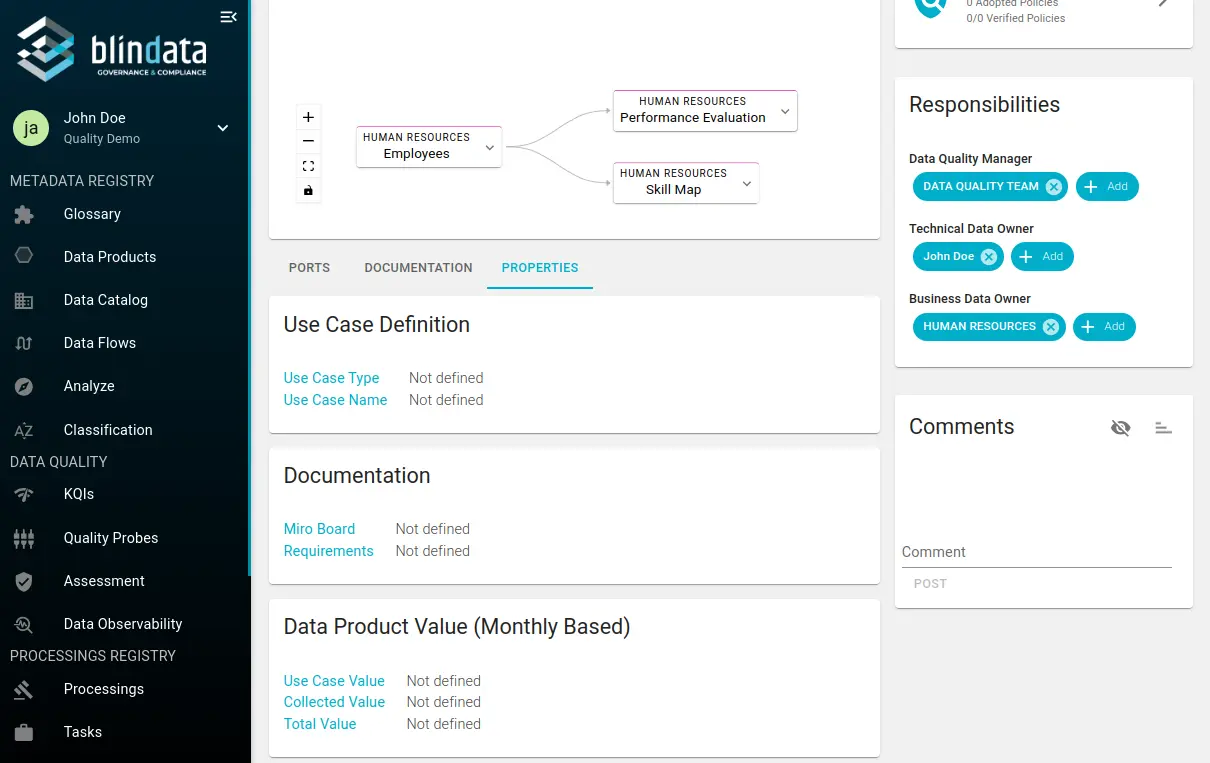
Custom properties can also be grouped into sections, allowing for better organization and structure within the user interface. By grouping related properties together, users can create logical sections that make it easier to navigate and manage large sets of data. This grouping capability ensures that similar properties are displayed together, improving clarity and usability.
How Custom Properties Appear In Blindata
After a custom property is defined, Blindata uses it in different places depending on its configuration and resource type:
- Settings: administrators define, edit, export, and delete custom property definitions from Settings -> Custom Properties.
- Forms: editable properties become input fields when users create or update matching resources.
- Detail pages: filled values are shown as additional metadata, grouped by the configured group.
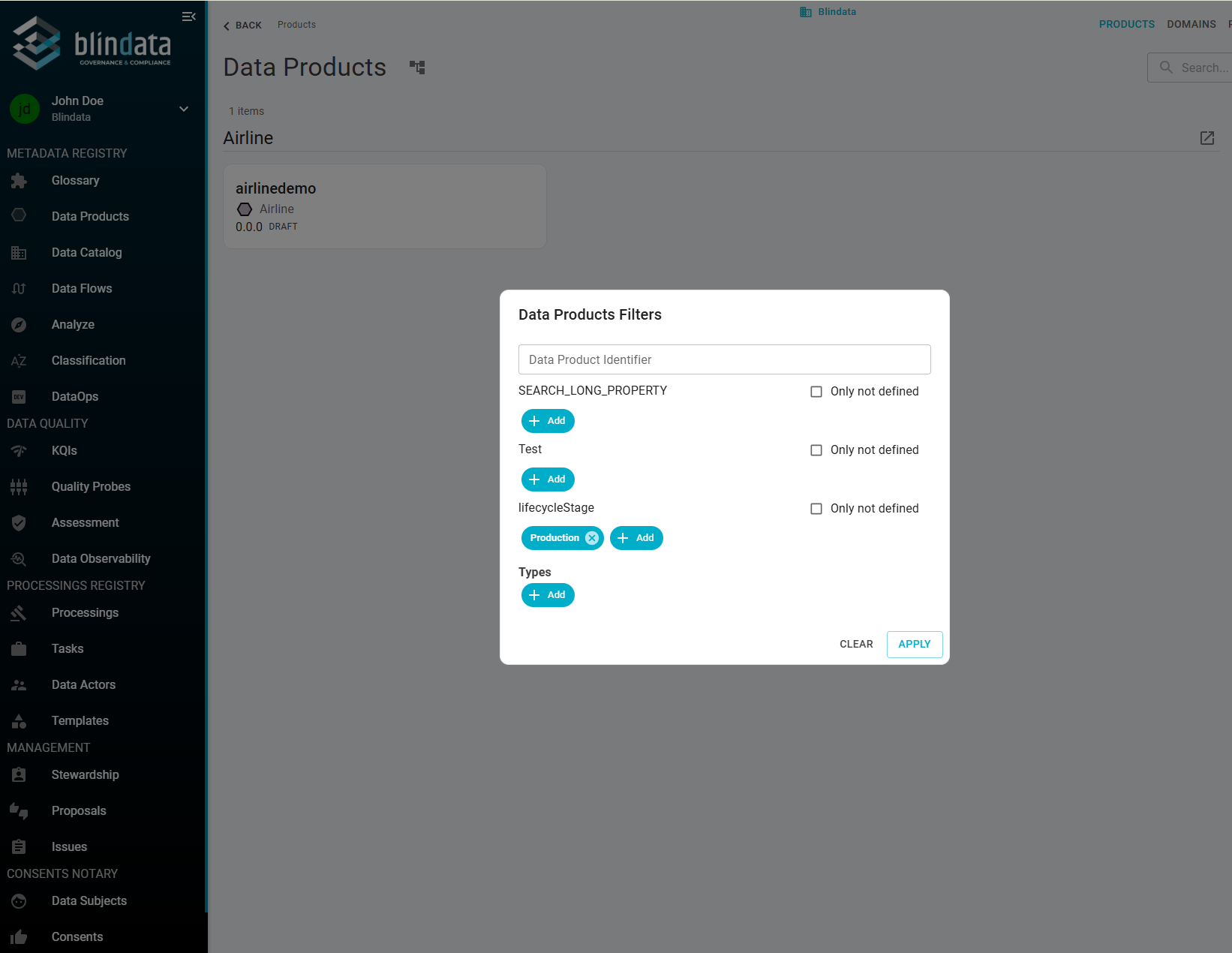
- Lists and filters: properties marked as search filters can appear in the filter panel of supported resource lists, such as the Data Products Catalog.
- CSV and integration outputs: additional property values can be included in exports and integration outputs when the specific resource flow supports them.
Define A Custom Property
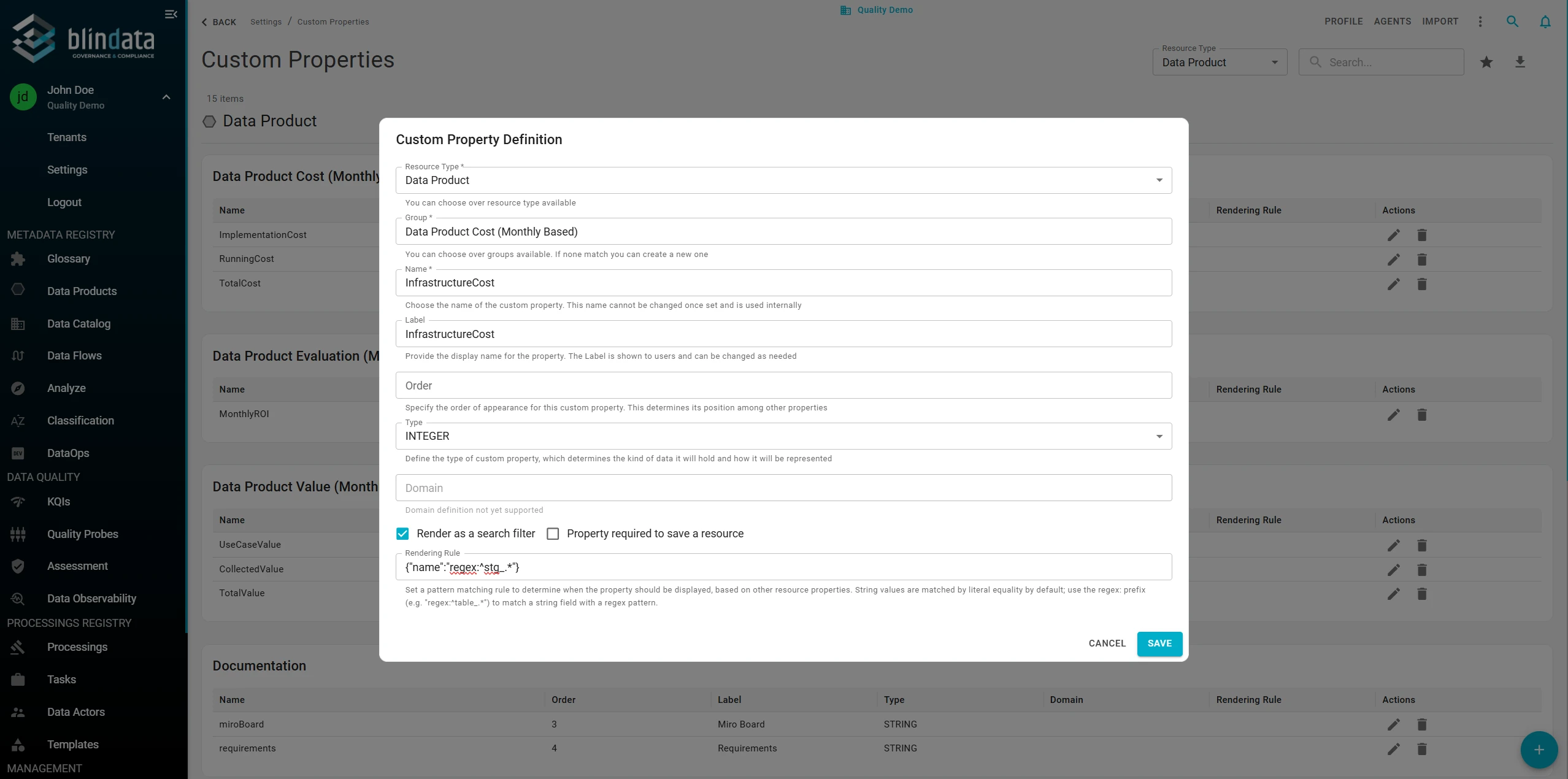
Custom properties are configured in Settings -> Custom Properties. Each definition describes where the property applies, how it is displayed, how users fill it, and when it is visible.
| Field | Description | Example |
|---|---|---|
| Resource Type | Resource where the property is available. | Select DATA_PRODUCT to add a property to Data Products. |
| Group | UI section used to group related properties in forms and detail pages. | Use Registration Information for fields related to onboarding or registration. |
| Name | Stable technical name used internally. It should not be treated as the user-facing label. | registrationDetails.registrationNumber |
| Order | Display order of the property inside its group. Lower values appear first. | Use 1, 2, 3 to control the sequence. |
| Label | Display name shown to users in the UI. | Registration Number |
| Type | Field behavior and value format. | Use Enumeration for a predefined list of values. |
| Domain | Type-specific configuration. For enumerations it is a JSON array, for tables it defines columns, and for computed properties it contains a SpEL expression. | Enumeration: ["value_1","value_2"]Computed: resource.description != null ? 1 : 0Table: {"columns": [{"name": "name", "label": "Name"}]} |
| Rendering Rule | Optional JSON rule that controls when the property is displayed. | {"domain":"finance"} |
| Property required to save a resource | When enabled, users must provide a value for this property before they can save the resource. | Enable it for mandatory metadata such as a cost center or compliance classification. |
| Render as a search filter | Makes the property available as a filter in supported resource lists. This option is not available for table properties. | Enable it to filter Data Products by the property value. |
Use Cases
Use custom properties to:
- Extend the metadata model with fields that are specific to your company, domain, process, or governance framework.
- Organize metadata in sections by using groups and ordering rules, so related fields appear together in forms and detail pages.
- Collect values in forms when users create or edit resources.
- Control visibility with rendering rules, showing properties only when a resource matches specific conditions.
- Use properties as search filters on supported resource lists by enabling the search filter option.
- Enrich outputs and exports with additional metadata values where the resource export or integration supports additional properties.
Business Catalog Navigation
Custom properties help business users browse the catalog with the vocabulary they already use. For example, a company can add Lifecycle Stage, Business Criticality, Consumer Segment, or Cost Center to Data Products and render the most useful fields as search filters.
When Render as a search filter is enabled, the custom property can appear in the filter panel for supported resource lists. This is useful when users need to browse a catalog by company-specific metadata, such as cost center, use case, lifecycle stage, or encryption type.
This makes the Data Products Catalog easier to use for non-technical users. A domain owner can filter for production-ready products, a data consumer can find products approved for a specific use case, and a platform team can review which products belong to a cost center or business unit.
Marketplace Request Governance
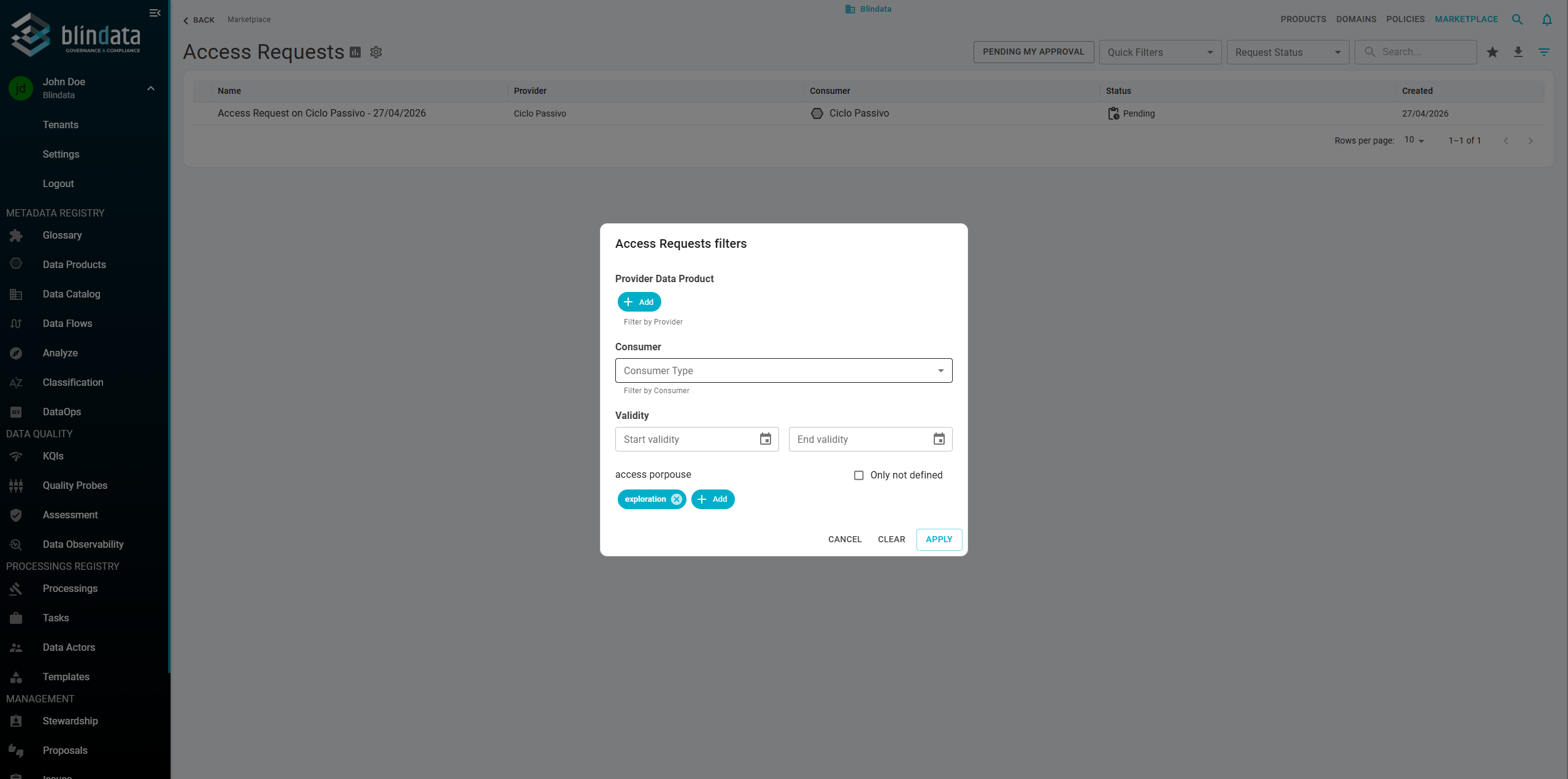
Custom properties can also enrich marketplace access requests with information required by internal approval processes. For example, a company can add fields such as Legal Basis, Requester Department, Access Purpose, Approval Stream, or Ticket Reference to Marketplace Access Requests.
When these properties are required, requesters provide the information before submitting the request. When they are searchable, access managers can filter dashboards and request lists by business context, identify requests missing a decision driver, or group requests that require the same approval workflow.
Data Catalog Enrichment From Integrations
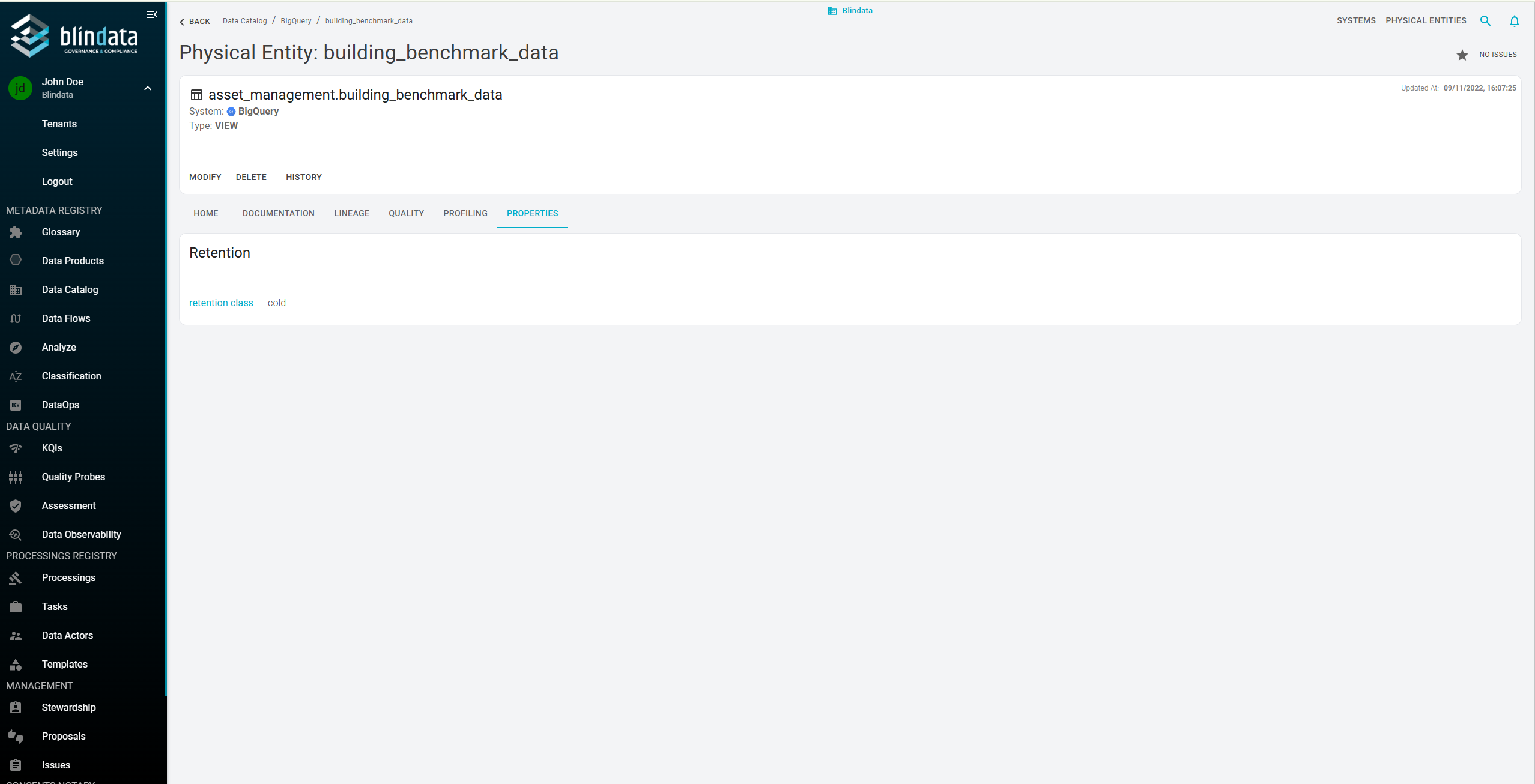
For technical assets, custom properties are useful to bring business and operational context into the Data Catalog. Physical Entity and Physical Field properties can be populated manually, imported with CSV files, or uploaded by the Blindata Agent crawling configuration through additional-property queries.
Common examples include Encryption Type, Retention Class, Data Residency, Source System Owner, Refresh Frequency, and Contains Personal Data. These fields help data stewards and governance teams quickly understand how an asset is managed without changing the standard Blindata metadata model.
Conditional Governance Fields
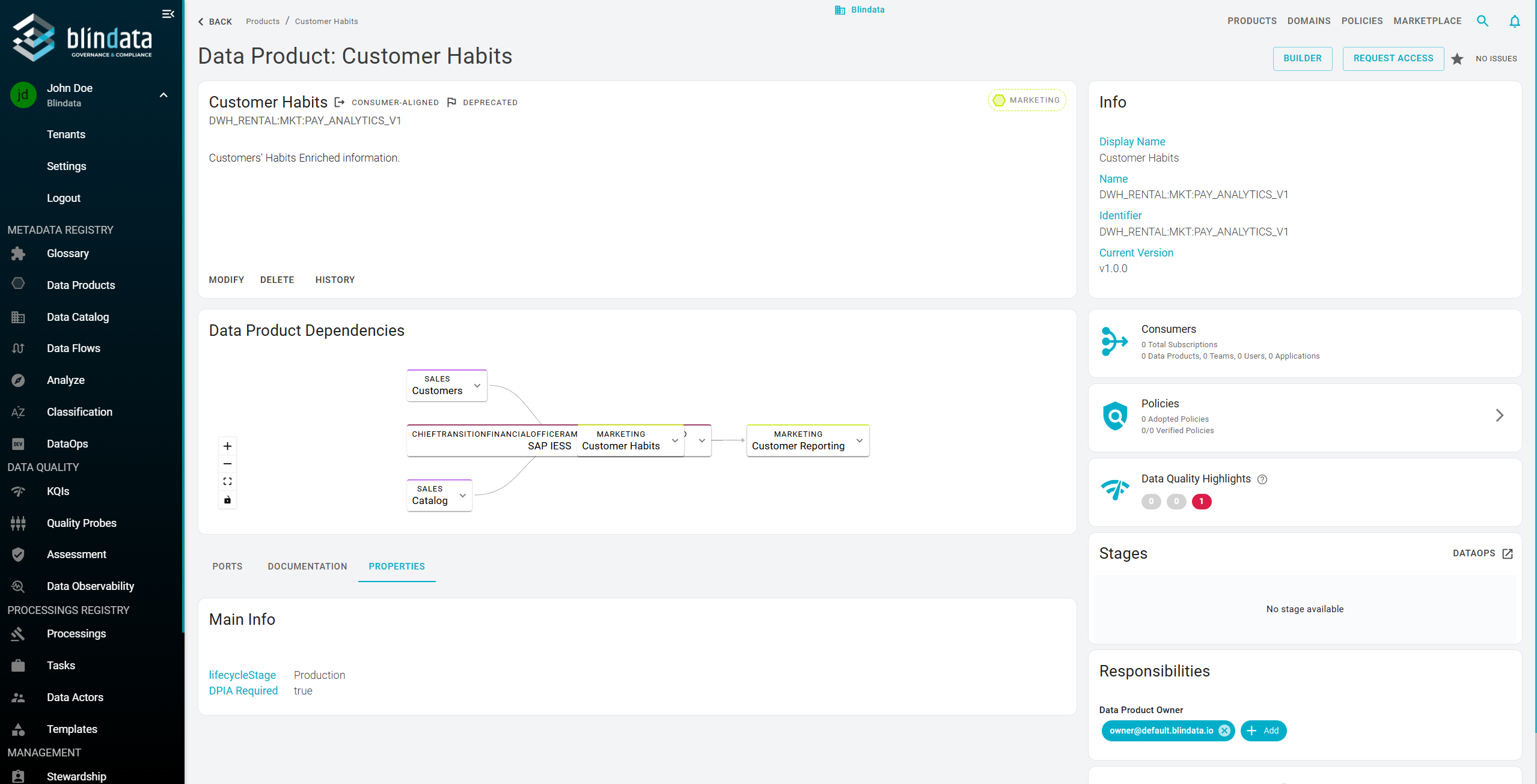
Rendering rules make custom properties appear only when they are relevant. For example, a DPIA Required field can be shown only for resources in the Marketing domain, or a Staging Review Outcome field can be shown only for tables whose name starts with stg_.
This keeps forms cleaner for business users while still collecting mandatory governance details when a resource matches a specific domain, naming convention, resource type, or lifecycle condition.
Types of Custom Properties
| Type | Description | When to use it |
|---|---|---|
String |
Text value. | Generic short or long textual metadata. |
Integer |
Integer number. | Counters, quantities, or whole-number scores. |
Numeric |
Decimal or general numeric value. | Costs, percentages, metrics, or measurements. |
Enumeration |
Single value selected from a predefined list. | Controlled vocabularies such as criticality, status, or classification. |
Autocomplete |
Single value with suggestions based on available values. | Reusing values that may evolve over time without maintaining a fixed list. |
String List |
Multiple free-text values. | Tags, aliases, or multiple textual entries. |
Enumeration List |
Multiple values selected from a predefined list. | Multi-select controlled vocabularies. |
Autocomplete List |
Multiple values with autocomplete suggestions. | Reusing multiple values already present in the system. |
Computed |
Read-only value calculated with Spring Expression Language (SpEL). | Derived metadata, flags, or scores calculated from resource fields. |
Table |
Structured multi-column data defined with a JSON column configuration. | Repeating structured information such as contacts, mappings, or grouped technical details. |
Computed properties are calculated by the system and are not edited directly by users in forms. Table properties support structured data, but they cannot be rendered as search filters.
Rendering Rules
Rendering rules let you display a custom property only when the resource matches specific conditions. Rules are written as JSON objects where keys are resource field paths and values are expected values.
| Rule type | Example | Behavior |
|---|---|---|
| Literal equality | {"domain":"finance"} |
Shows the property only when the resource domain is finance. |
| Regex match | {"name":"regex:^stg_.*"} |
Shows the property when the resource name starts with stg_. Regex matching is supported for string values. |
| Combined conditions | {"resourceType":"TABLE","name":"regex:^stg_.*"} |
Shows the property only when all conditions match. |
Permissions
To create or modify a custom property, users need the administration permission associated with the selected resource type.
| Resource | Permission |
|---|---|
| User | USERS_ADMIN |
| Team | USERS_ADMIN |
| Concept / Data Category | DATA_CATEGORIES_ADMIN |
| Attribute / Logical Field | DATA_CATEGORIES_ADMIN |
| Data Product Domain | DATA_PRODUCTS_ADMIN |
| Data Product | DATA_PRODUCTS_ADMIN |
| Data Product Port | DATA_PRODUCTS_ADMIN |
| System | SYSTEMS_ADMIN |
| Physical Entity | SYSTEMS_ADMIN |
| Physical Field | SYSTEMS_ADMIN |
| Quality Check | QUALITY_ADMIN |
| Issue | CAMPAIGNS_ADMIN |
| Processing | PROCESSINGS_ADMIN |
| Task | TASKS_ADMIN |
| Contract | CONTRACTS_ADMIN |
| Marketplace Access Request | DATA_PRODUCTS_ADMIN |