This month introduces success metrics dashboards for data products and the Business Glossary, so you can track semantic linking, stewardship coverage, metadata fill rate, and downstream reuse with repeatable KPIs. MCP write tools let AI assistants create and update glossary and catalog resources directly; the Agent UI now supports secret file uploads for JDBC connections; Mermaid diagrams render in markdown documentation; and a new compact menu frees screen space for large maps and visualizations.
New Features
-
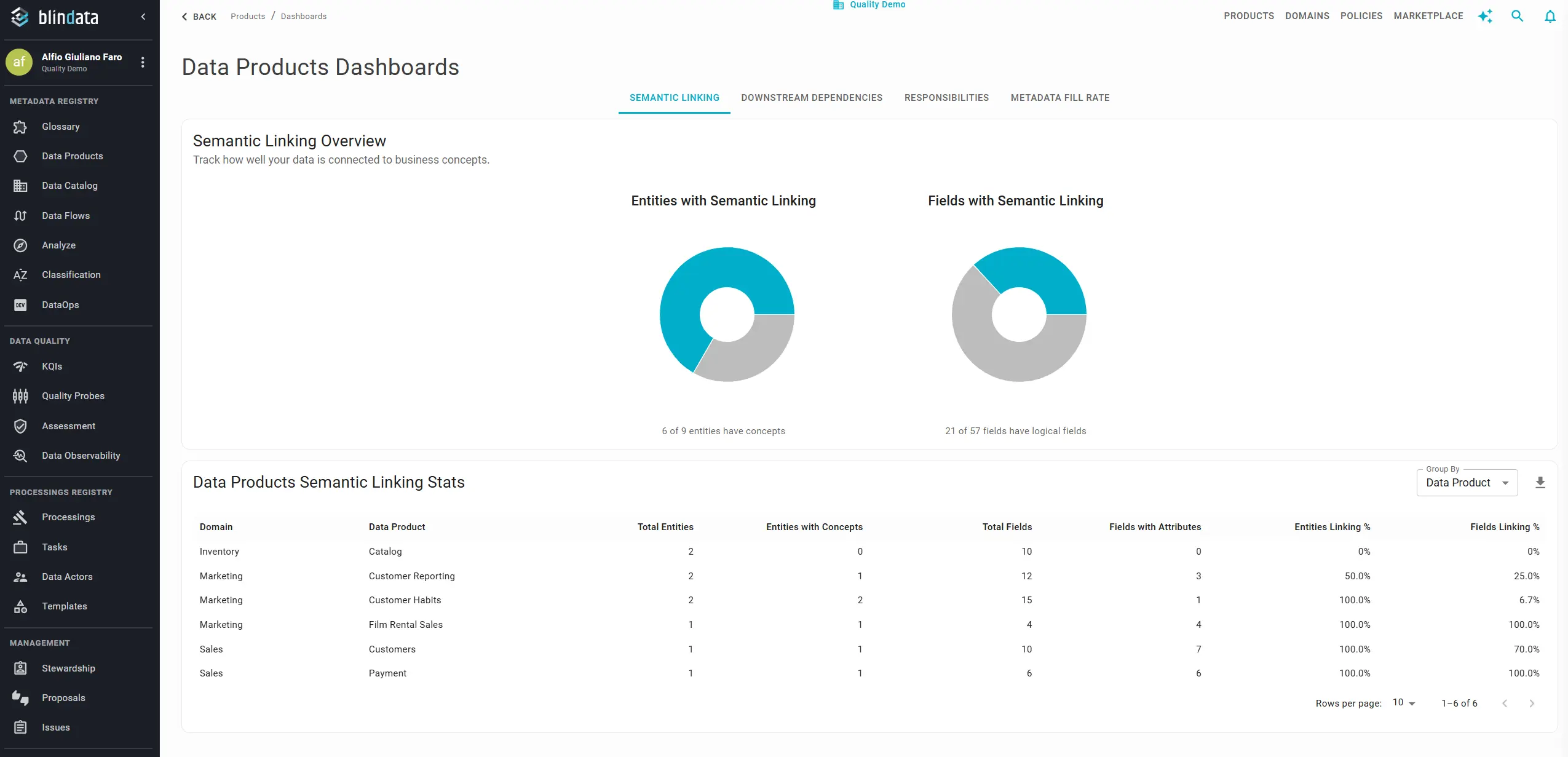
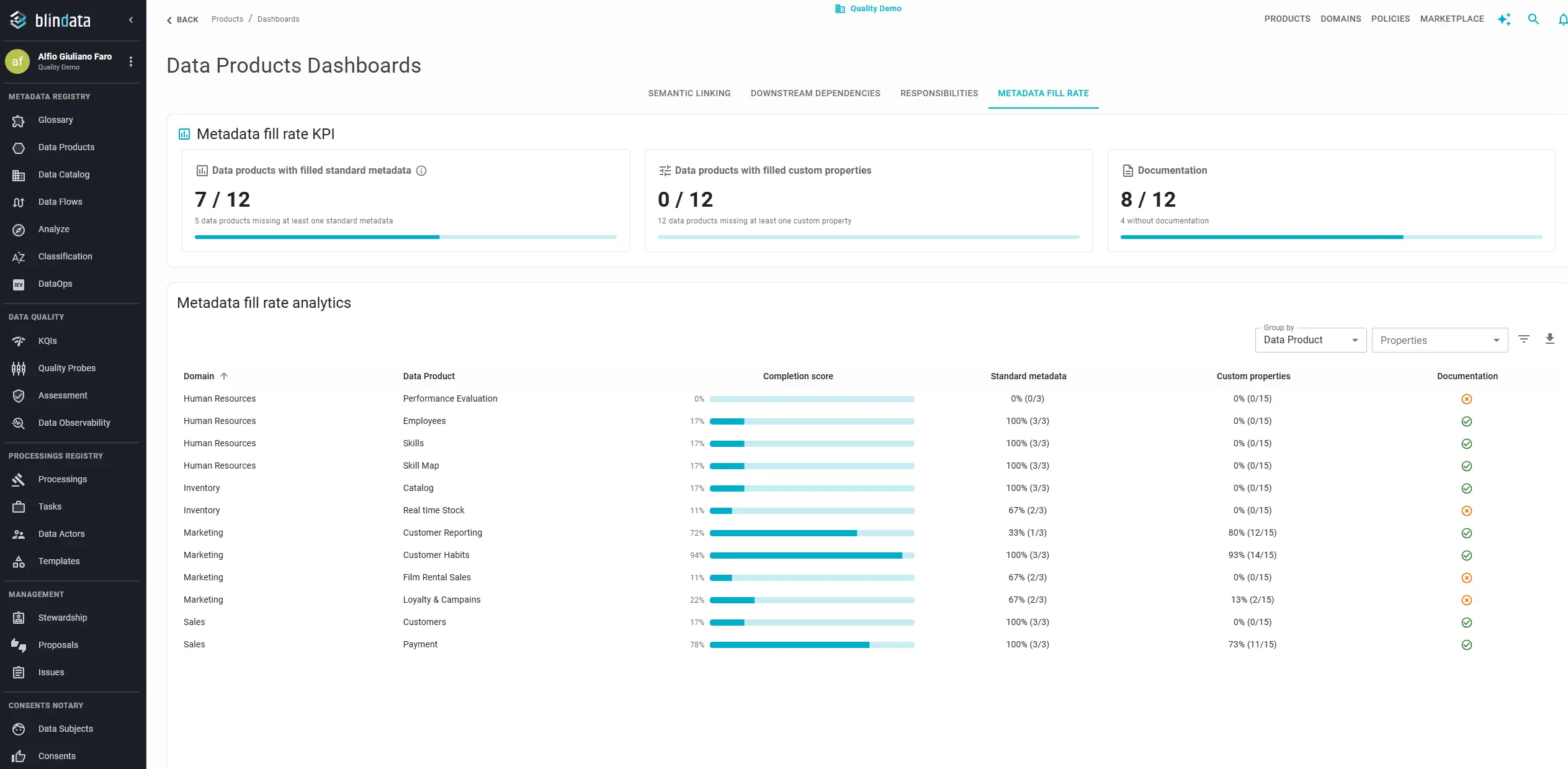
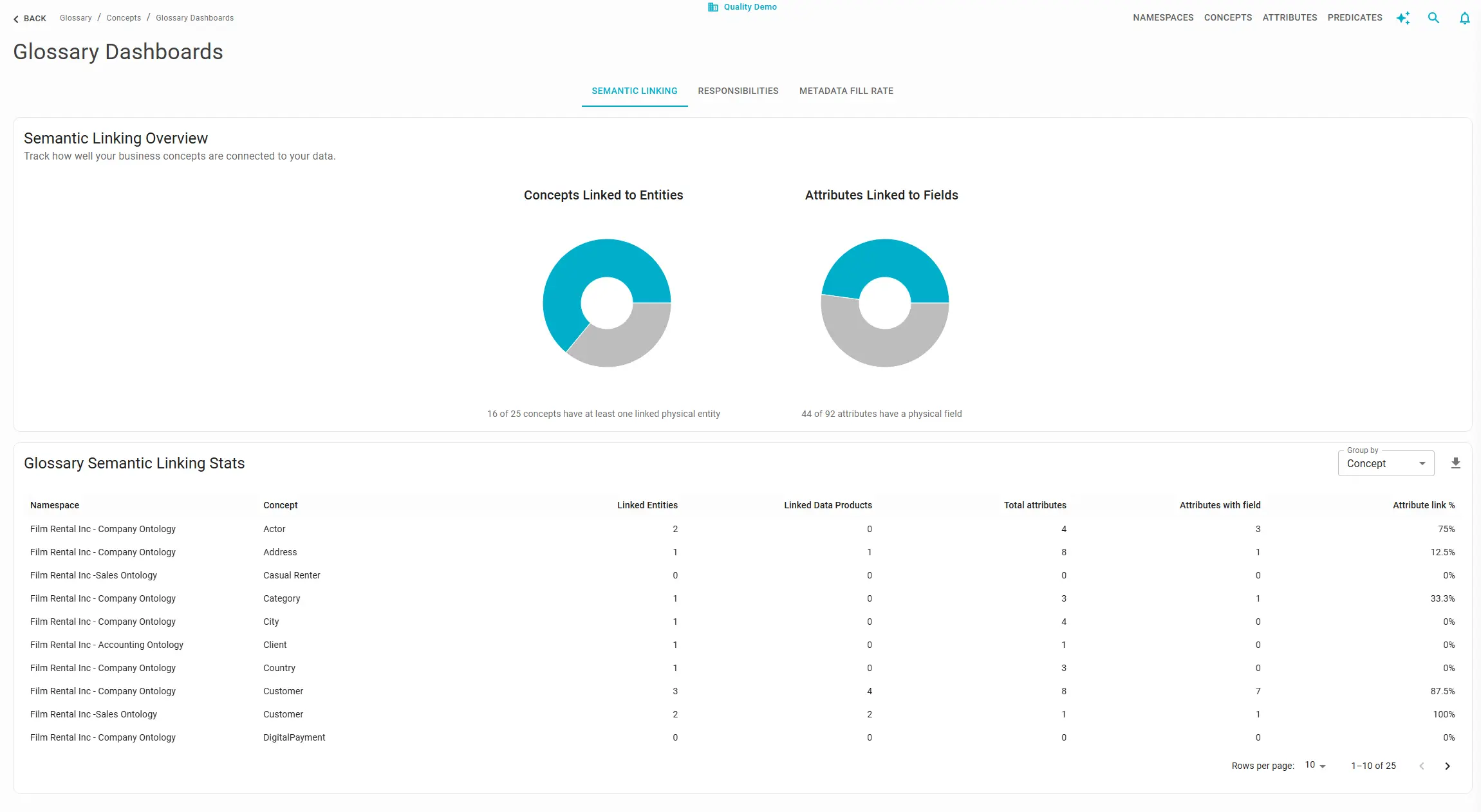
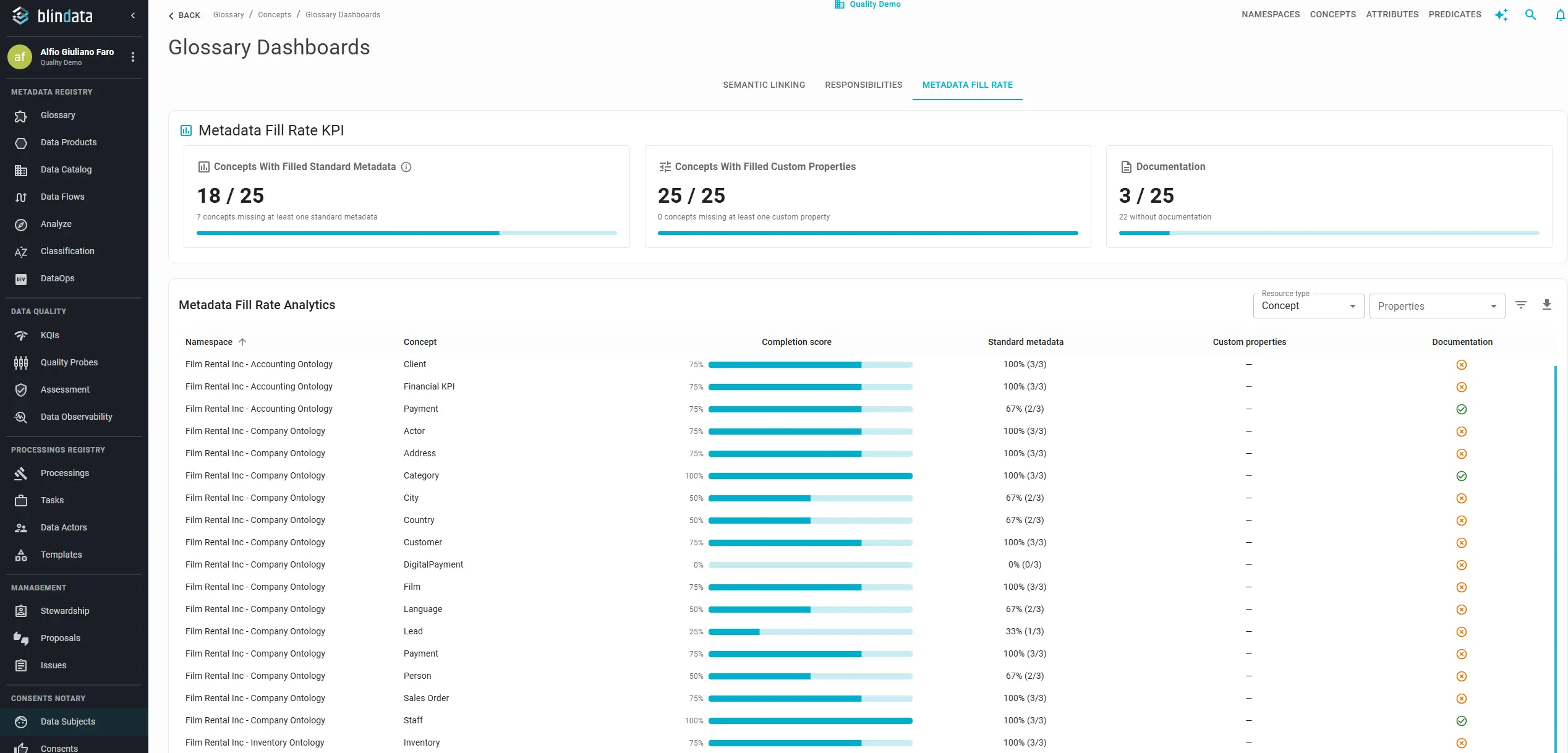
Success metrics dashboards for data products and the Business Glossary: Blindata now surfaces adoption and maturity metrics through dedicated dashboard views in the Data Products and Business Glossary areas. For data products, four tabs—Semantic Linking, Downstream Dependencies, Responsibilities, and Metadata Fill Rate—answer whether products are connected to the glossary, structurally reused across domains, properly owned, and fully documented. For the Business Glossary, three tabs—Semantic Linking, Responsibilities, and Metadata Fill Rate—track how concepts and attributes link to physical assets, whether stewards are assigned, and whether custom properties and standard metadata are populated. All tables support CSV export, filtering, and column customization so governance leads and product owners can turn qualitative goals into measurable targets and remediation lists. Monitor Your Data Product Portfolio , Track Business Glossary Maturity


Other Key Updates
-
Agent: upload connection secret files from the UI: JDBC connections in the Agent can now accept file attachments—SSL certificates, key stores, OAuth JSON credentials, and other driver-specific secret files—directly from the Blindata UI. Configure the relative path where the file should be materialized, upload the content once, and the agent stores it securely for use when establishing the connection. This removes the need to place secret files manually on the agent host for common JDBC setups. Manage Connections — How to upload a secret file for a JDBC connection
-
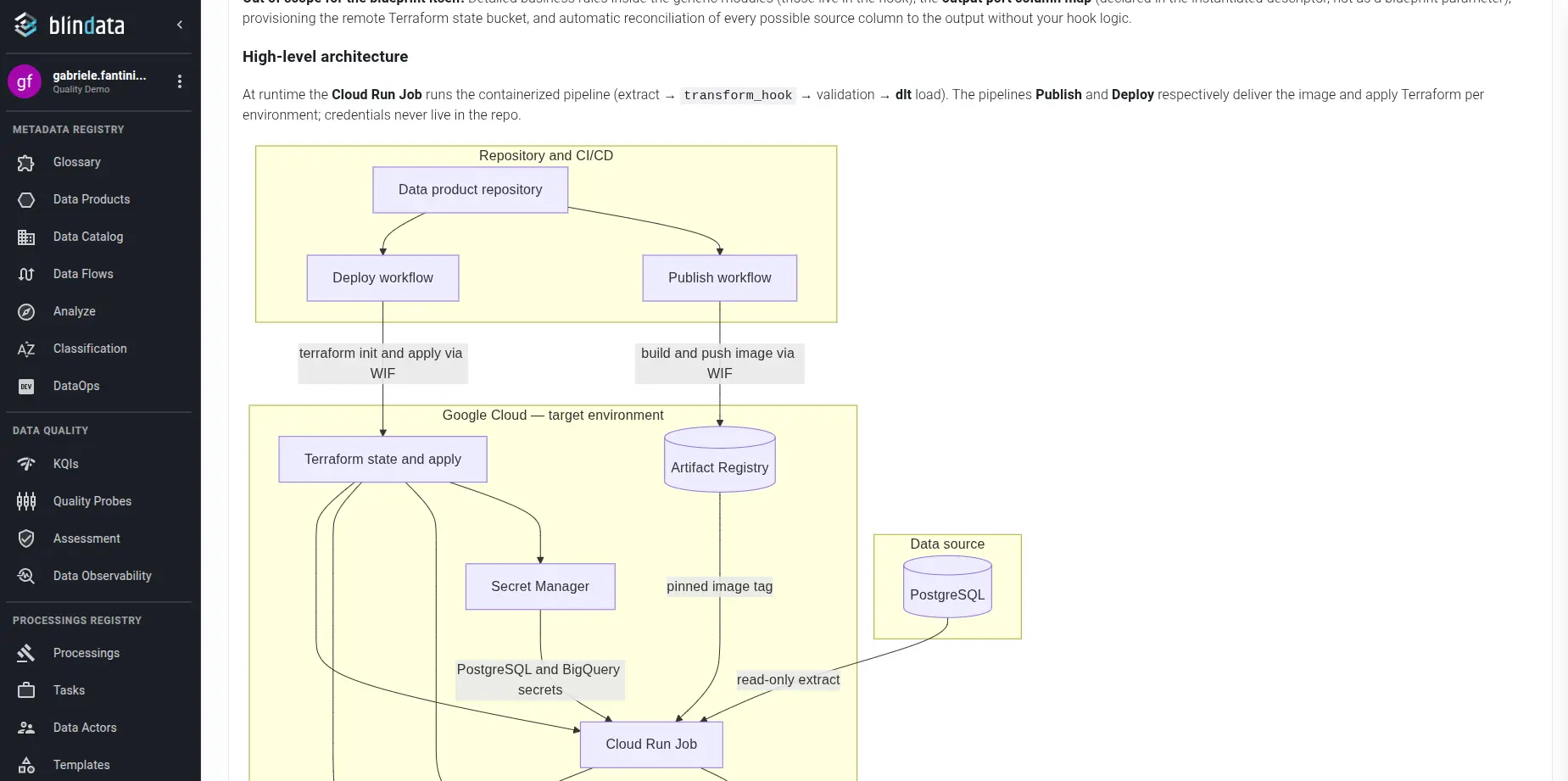
Mermaid support in markdown documentation: Resource documentation written in markdown now renders Mermaid diagrams inline—flowcharts, sequence diagrams, entity-relationship sketches, and other diagram types display directly in the documentation tab instead of requiring static images. Use Mermaid blocks in data product, glossary, or catalog documentation to keep technical diagrams versioned alongside the text.
-
MCP: extended write tools for faster creation and editing: The Blindata MCP server extends the
get_json_schemaandwrite_resourcetools with batch writes (create or update multiple resources of the same type in one call) and clearer schema-driven validation. Assistants can draft Business Glossary resources—concepts, attributes, namespaces, and relations—validate payloads against bundled schemas, and submit create or update requests without round-tripping through the UI. Callget_json_schemafirst to inspect required fields, then pass a single object or a list towrite_resource. MCP Tool Reference — Write Resource Tool -
MCP: edit Data Catalog entities and fields for AI-driven stewardship: The write workflow now covers Data Catalog resources:
PHYSICAL_ENTITY(tables, views, and other catalog entities) andPHYSICAL_FIELD(columns and fields). From an MCP-enabled client you can enrich entity and field metadata, apply stewardship updates at scale, and support semantic linking workflows driven by AI—for example bulk-updating descriptions or linking glossary terms to physical assets discovered during assisted governance sessions. Systems themselves are not writable through MCP; entities and fields reference their parent system by UUID. MCP Tool Reference — Write Resource Tool -
Compact navigation mode: The main menu includes a compact mode that collapses the sidebar to an icon strip, giving more horizontal space to large visualizations—the Data Products Map, lineage graphs, marketplace dashboards, and other wide canvases. Toggle compact mode when you need the full viewport for exploration and switch back when navigating between modules.
Versions
- blindata-api: v1.179.0
- blindata-ui: v1.169.0
- blindata-mcp: v0.1.6
- blindata-agent: v1.31.0