Your assistant inside Blindata
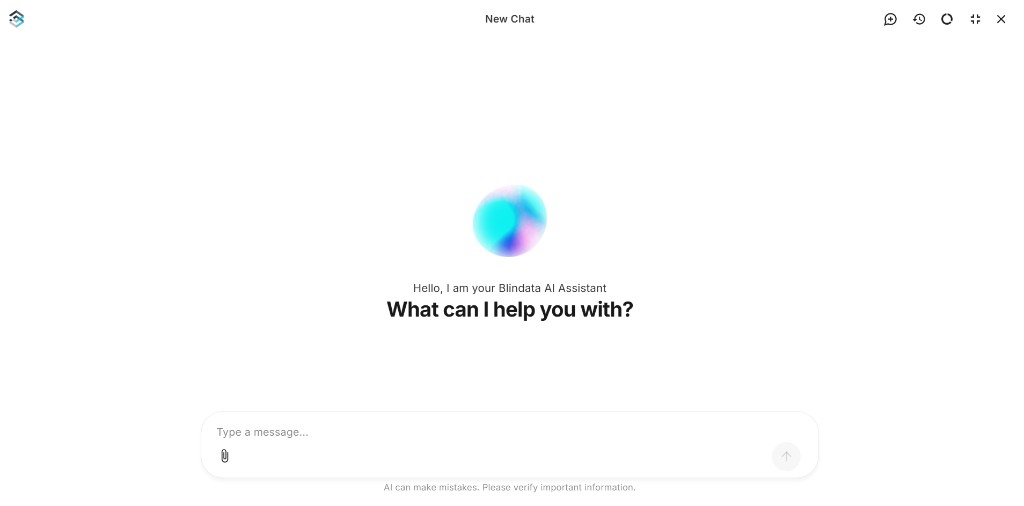
Data governance in Blindata means keeping two sides of your metadata in sync: the business vocabulary your organization agrees on, and the technical assets where data actually lives. The Blindata AI Assistant is a chat panel built into the Blindata UI that helps you explore what is already documented and carry out stewardship work in plain language, without switching to another tool.
You can find and summarize metadata, create and edit glossary terms, register or update catalog entries, link technical assets to business definitions, navigate data products and lineage, ask data questions and run grounded queries against live systems with BYOC connections, and attach files (policies, exports, diagrams) to speed up drafting. When you open the assistant from a resource page, it picks up page context automatically and offers quick actions for common stewardship tasks on that asset. The @ chip in the input bar reflects that same resource.
It uses the same platform access and permissions as the rest of Blindata. When it references an asset in your organization, you see clickable cards that open it directly so you can verify what it found or changed.
The assistant speeds up drafting and discovery; it does not replace your judgment. When it creates or updates metadata, open the resource cards and review the result, and remember the in-chat notice that AI can make mistakes.
Quick start
- Click the sparkle icon in the top-right toolbar to open the assistant panel.
- Open it from a concept or catalog page to use page context, or try a quick action such as Explore concept.
- Try a discovery question, for example: “What do we have documented about customer data?”
- Or ask about ownership or lineage, for example: “Who owns the Sales data product?”
The assistant replies with summaries and clickable cards for each matching asset. For step-by-step UI guidance, see Using the Assistant . For more examples by role, see Example Conversations .
Blindata AI Assistant vs. MCP Server
Both connect AI to your Blindata organization, but they are meant for different situations:
- The Blindata AI Assistant is the in-app chat for day-to-day governance. It suits data stewards, catalog owners, and business users who want to work in natural language without leaving Blindata.
- The MCP Server is for connecting external AI tools (such as Cursor, Claude Desktop, or VS Code) to Blindata through the Model Context Protocol.
They use the same platform access. The main difference is where you start the conversation.
What’s in this guide
- Using the Assistant : how to open the panel, use page context and quick actions, mention resources, manage history, attach files, review changes, and check usage
- Example Conversations : multi-turn playbooks by role, from quick discovery to full stewardship tasks
- What You Can Do : capability reference by metadata domain: prompt patterns, expected results, and boundaries
- Chat with Your Data : ask data questions in natural language, approve grounded queries, and view live results with BYOC connections and privacy-by-default handling