October is about DataOps Blueprints and connectors. Data products created from a blueprint can now move to a newer blueprint version through a pull request. Blueprints can also protect governance files and set the names of the Git repositories they create. The Microsoft Fabric and Google Dataform integrations are reworked, with broader catalog coverage and end-to-end lineage. A new Connector Catalog in the help center shows, for every supported technology, what Blindata can do with it and how to set it up. SQL lineage query buckets get pre-processing presets and a schema search path, so more statements parse without hand-written rules.
New Features
-
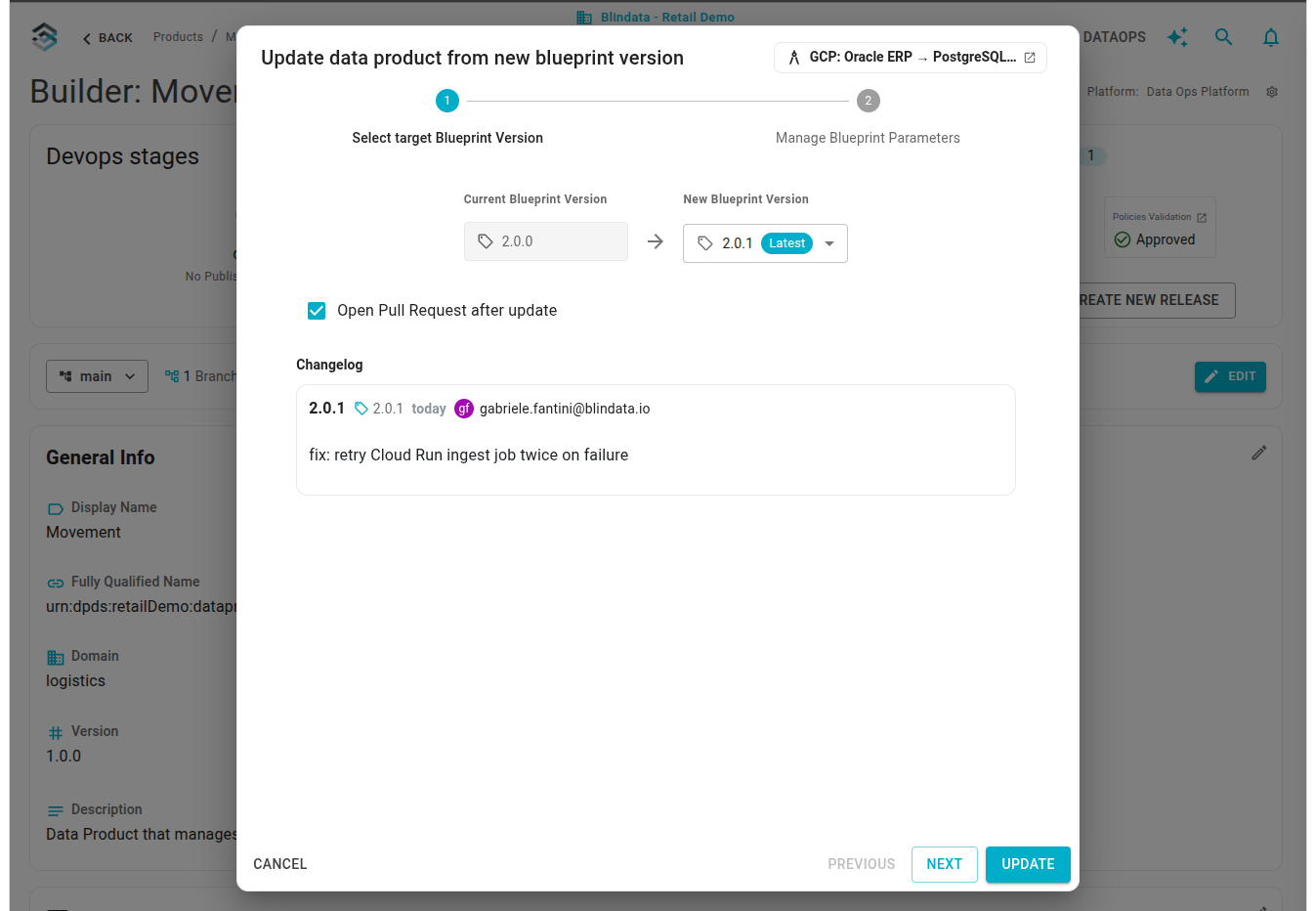
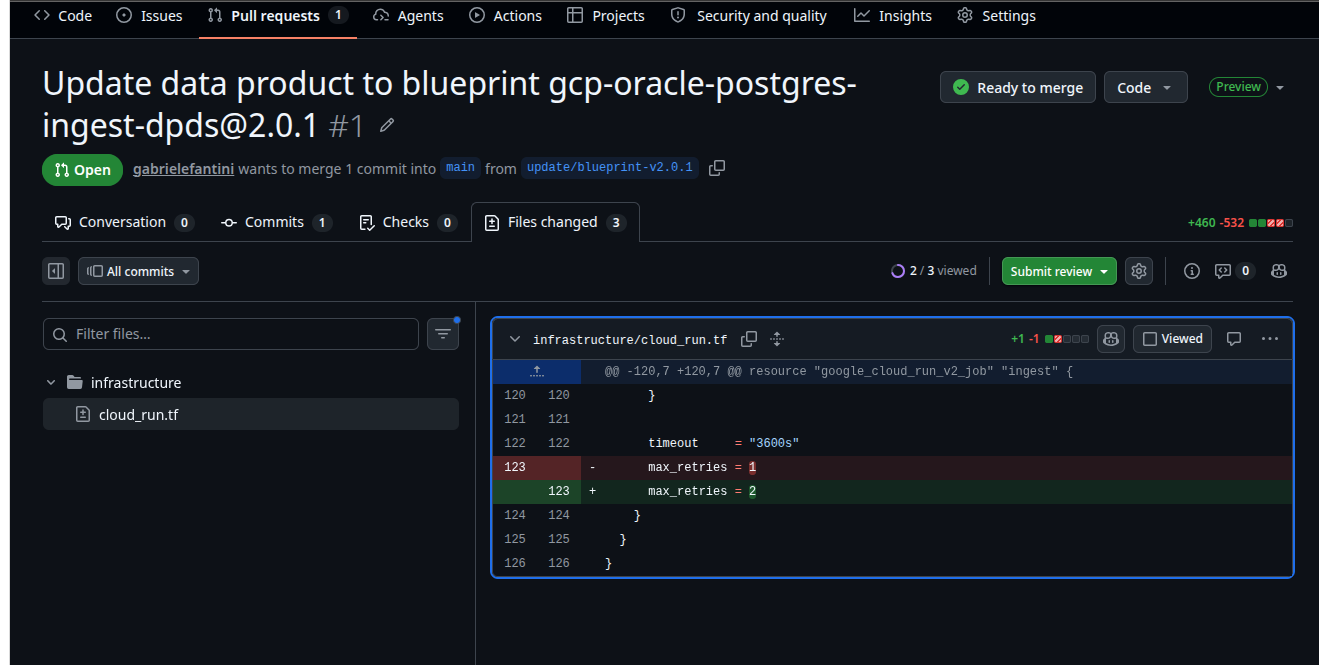
Update a data product to a newer blueprint version: When a blueprint publishes a new version, the blueprint icon in the Data Product Builder git bar turns blue. The update wizard writes the new version on a dedicated update branch next to your work, lets you review changed parameters, and can open a pull request. Your own files and edits stay on your branch until you merge. Conflicts stay in the pull request for someone to resolve. The data product keeps the same catalog entry and the same repositories. Update a Blueprint
-
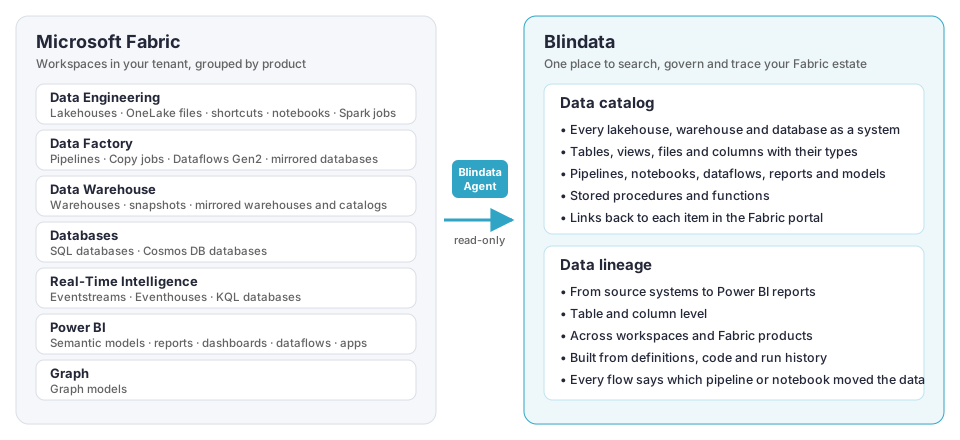
A better way to integrate with Microsoft Fabric: The Microsoft Fabric connector now catalogs a whole Fabric tenant, or only the workspaces you choose. It covers lakehouses, warehouses, databases, pipelines, notebooks, dataflows, semantic models and Power BI reports, and reconstructs the lineage between them, from external sources through Data Factory and OneLake up to Power BI reports, dashboards and apps, across workspaces. Microsoft Fabric
-
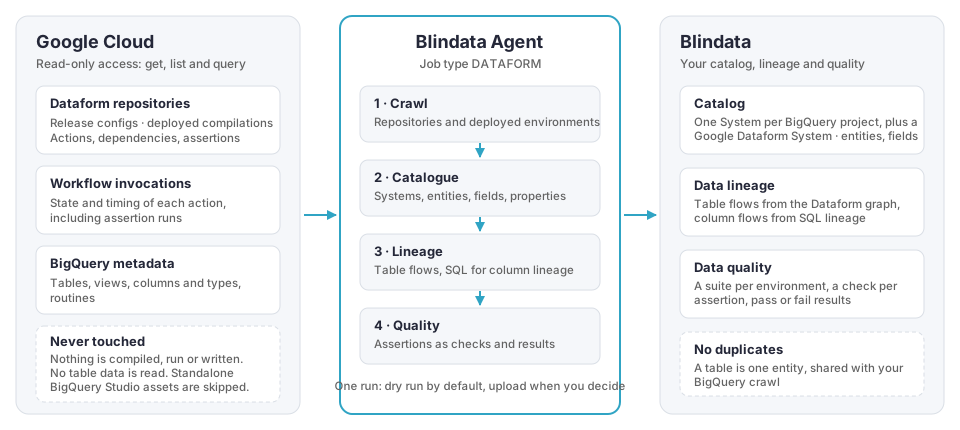
A better way to integrate with Google Dataform: The Google Dataform connector now reads the deployed Dataform repositories in the Google Cloud projects and locations you list, and adds the Dataform context to the BigQuery tables and views already in the catalog without creating duplicates. Table lineage comes from the Dataform dependency graph and column lineage from Blindata SQL lineage applied to the SQL that Dataform runs. Every query becomes a routine of the Google Dataform system. Dataform assertions become data quality checks, with results taken from Dataform runs. The connector is read-only and never reads table data. It connects through a Google Cloud connection, with service account impersonation and regional endpoints. Google Dataform
-
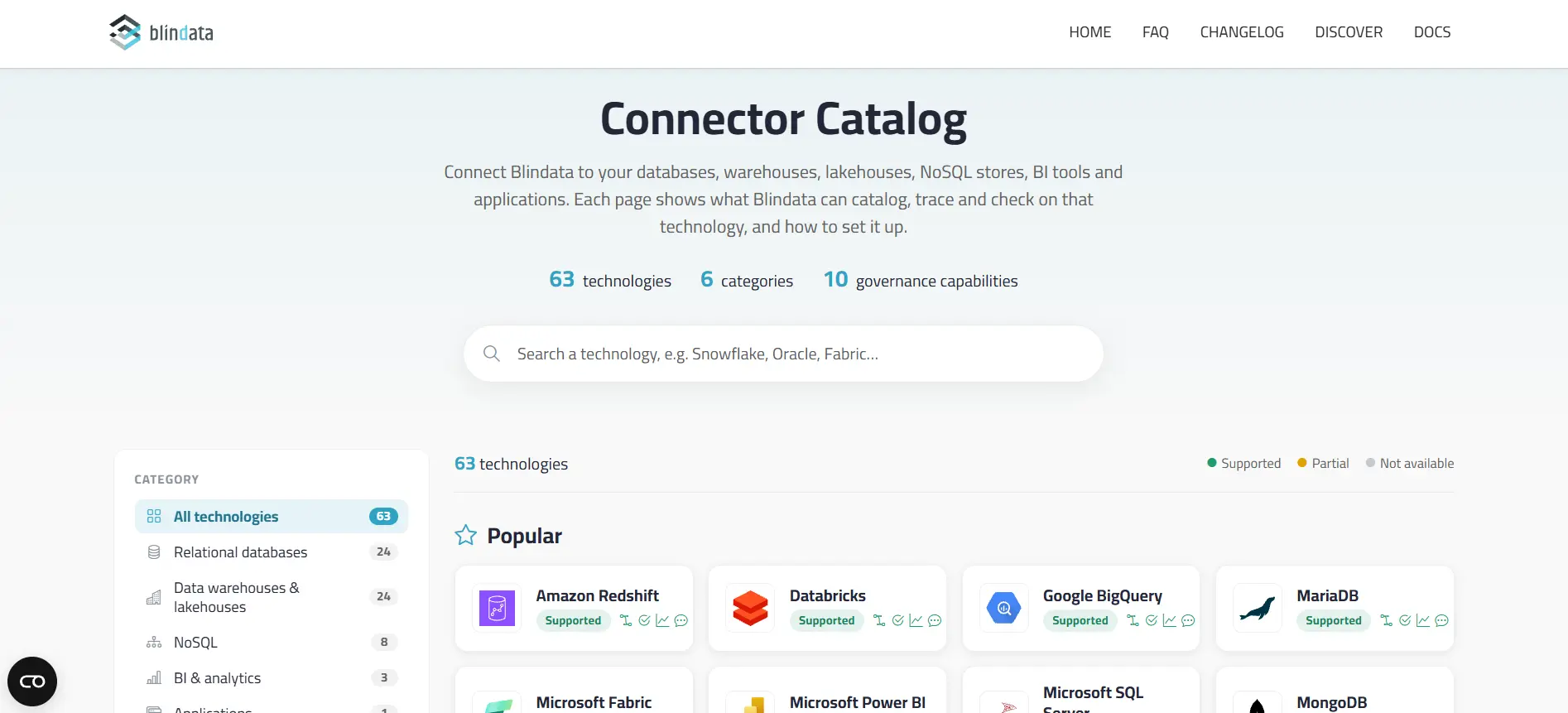
Connector Catalog: The help center now has a single Connector Catalog that lists every technology Blindata connects to: relational databases, data warehouses and lakehouses, NoSQL stores, BI and analytics tools, and applications. You can search by name and filter by category, by connector type (Native, Supported through the Blindata Agent with a ready-made connection template, or Generic) and by capability, such as data lineage, data quality probes or data profiling. Each technology has its own page with:
- a capability matrix that shows what Blindata can catalog, trace and check, from tables, constraints and routines to lineage from query history, glossary links, classification and Chat with your data;
- setup details: JDBC driver and URL, authentication methods, driver properties and the permissions to grant.
For a technology that isn’t listed, the catalog points to the generic JDBC connector, interface tables and custom jobs.
Other Key Updates
-
Query pre-processing presets: A query bucket can rewrite each statement just before parsing, so dialect syntax the parser does not support no longer ends in
ERROR. Presets add ready-made rules for Google BigQuery, Snowflake, Microsoft SQL Server, Oracle, AWS Redshift and Databricks, plus a Common SQL set. When one of the bucket’s systems uses a supported technology, its preset is suggested. Statements that carry no lineage, such asGRANT,ALTERorCOPY INTO, becomeIGNOREDinstead of errors. The Pre-processed tab of a statement shows the original side by side with the text the parser receives. Query pre-processing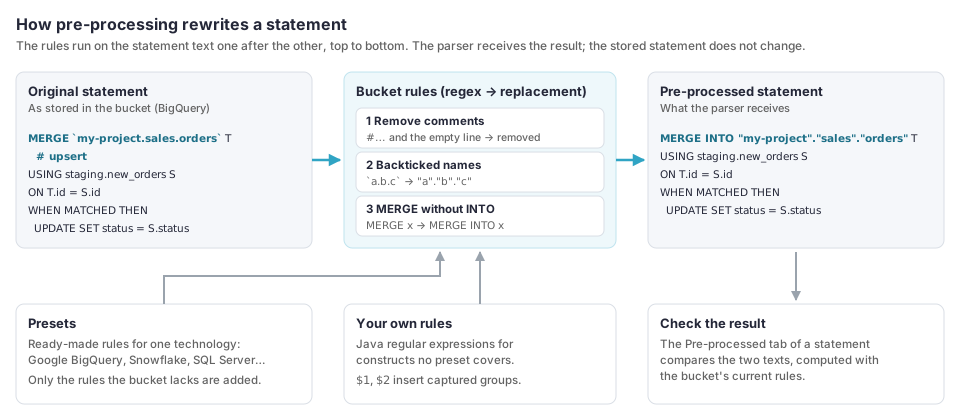
-
Schema search path for query buckets: Tables written without a schema (
ordersinstead ofsales.orders) are looked up in the statement’s default schema first, then in each schema of the bucket’s search path, from top to bottom. Schema search path -
Blueprint repository naming conventions: A blueprint can set the name of each target repository with a pattern built from data product values, such as domain and name. In binding mode, which is the default, the name is derived and locked, and only repositories with exactly that name can be selected. In suggested mode, the name is pre-filled and can be changed. The rules apply in the blueprint detail page and when you initialize a data product from a blueprint in the Builder. Repository naming conventions
-
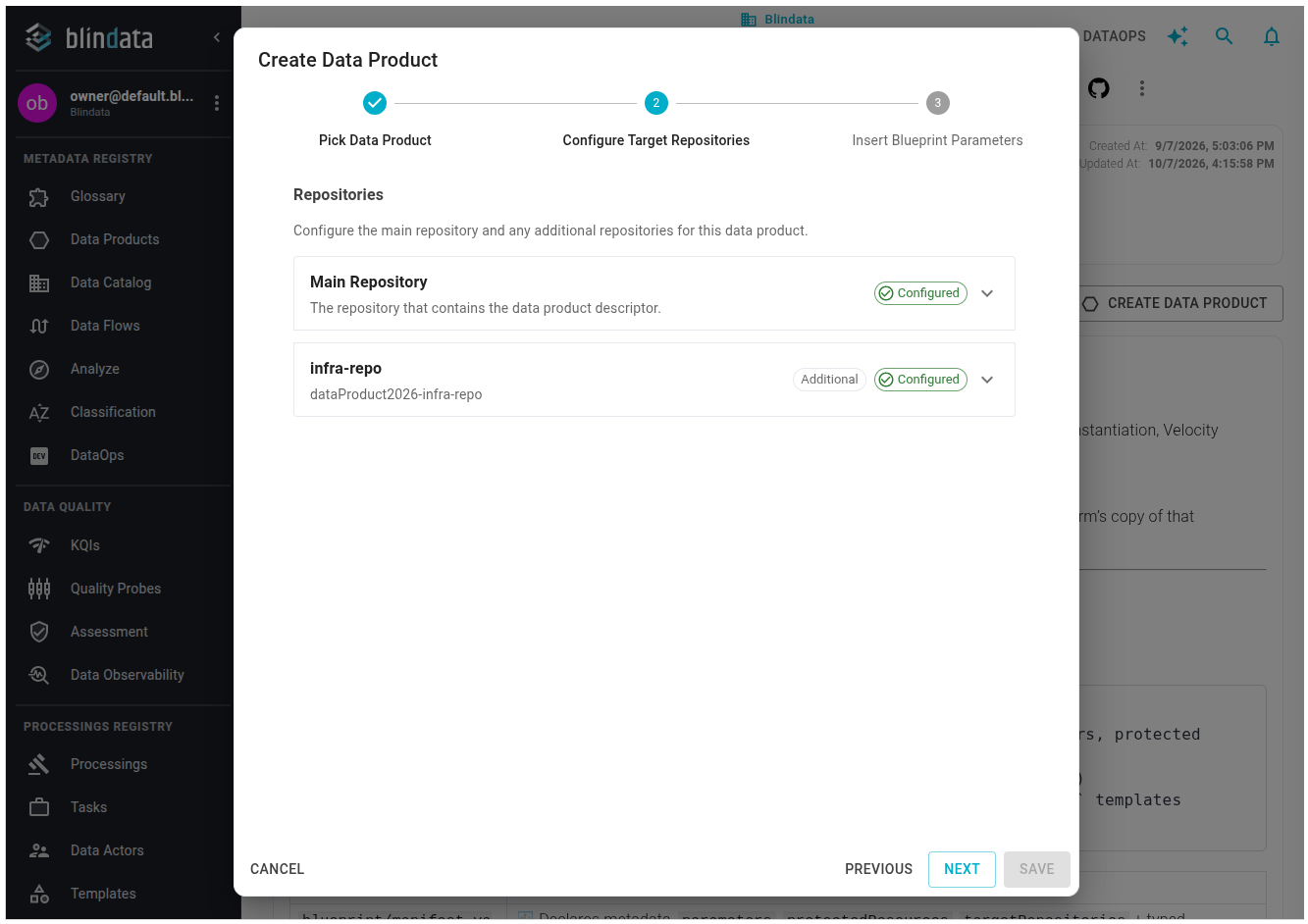
Multiple target repositories: A blueprint can generate a data product across a main repository and additional repositories, such as a separate infrastructure repository. The instantiation wizard configures each repository on its own row. Instantiate a Blueprint
-
Blueprint policy enforcement: Blueprint authors can mark files in the manifest as protected resources, such as infrastructure definitions, access controls or audit layout. When a data product version is published, Blindata rebuilds those files from the recorded blueprint version and compares them with the release. A file that was edited, deleted or replaced blocks the release with Policies Validation: Rejected and the path that diverged. Policy Enforcement
Bug Fixes
- CSV import, Patch Mode: Rows with a
uuidare merged over the stored data product, so a CSV with onlyuuidanddescriptionno longer fails with “Missing name”. Data product ports are kept when the CSV has no port columns. - Blueprints: The blueprint list no longer fails on a hard refresh, and modules no longer appear in the blueprint autocomplete.
Versions
- blindata-api: v1.188.3
- blindata-ui: v1.182.2
- blindata-agent: v1.36.4