August expands automated SQL lineage across more modern, warehouse-specific, and Oracle-style syntax. The Data Product Builder can now create output-port schemas by crawling a source system directly, initialize a repository from a blueprint without leaving the Builder, and test contract quality rules while they are being authored. Conditional custom properties also make marketplace access-request forms adapt to the data being requested.
New Features
-
Broader automated SQL lineage support: An upgraded SQL parsing library and new lineage handlers improve analysis across composite values, JSON, lambdas, table-valued functions, piped queries, advanced operators, Oracle syntax, casts, DML, and multi-statement scripts. This reduces the amount of query pre-processing required and lets more source SQL move directly from ingestion to lineage analysis. Newly recognized constructs include:
- Composite, JSON, and lambda expressions:
STRUCT(...),ARRAY[...], array constructors,JSON_OBJECT,JSON_ARRAY,JSON_ARRAYAGG, JSON path access (->), and lambdas in higher-order functions such asTRANSFORM(..., x -> ...). - FROM-clause and pipeline syntax:
LATERAL (...), HiveLATERAL VIEW,TABLEstatements, nestedFROMqueries with innerWITHclauses, alias column lists on parenthesized selects, and piped queries (|>) withSELECT,JOIN,AGGREGATE,AS,DROP,CALL,PIVOT, andUNPIVOT. - Operators and aggregates:
MATCH(...) AGAINST (...),GROUP_CONCAT, OracleKEEP (DENSE_RANK ...),@@,<#>,<=>,IS DISTINCT FROM, andOVERLAPS. - Unary, conversion, and Oracle-style expressions:
PRIOR,CONNECT_BY_PRIOR,CONNECT_BY_ROOT,NOT, signed expressions such as-column,COLLATE, Oracle named parameters (name => expression),CONVERT(... USING ...), andTRIM(...). - Rows, XML, and casts:
ROW(...), row-field access,XMLSERIALIZE, parenthesized expression lists,TRY_CAST, andSAFE_CAST. - DML and scripts: multi-statement scripts,
UPSERT ... SELECT, DML insideWITHclauses,DELETE ... RETURNING, andALTER VIEWlineage including view column lists.
TABLE(fn(...)) AS alias(...)can now be parsed, although full lineage through table-valued function internals is not yet generated. Automated SQL Lineage , Analyze SQL Statements - Composite, JSON, and lambda expressions:
-
Data Product Builder: crawl schemas directly from a source system: When defining an output port, you can now use a paired Blindata Agent and JDBC connection to discover tables and columns from a live source and import the selected structure into the descriptor. This removes the intermediate step of importing test or development metadata into the Data Catalog first, making it faster to bootstrap a contract from a non-production environment. The flow supports service-principal, user-principal, legacy, and runtime credentials, and can include additional properties and semantic links when configured. Edit a Data Product Descriptor — Reverse provisioning from a source system
-
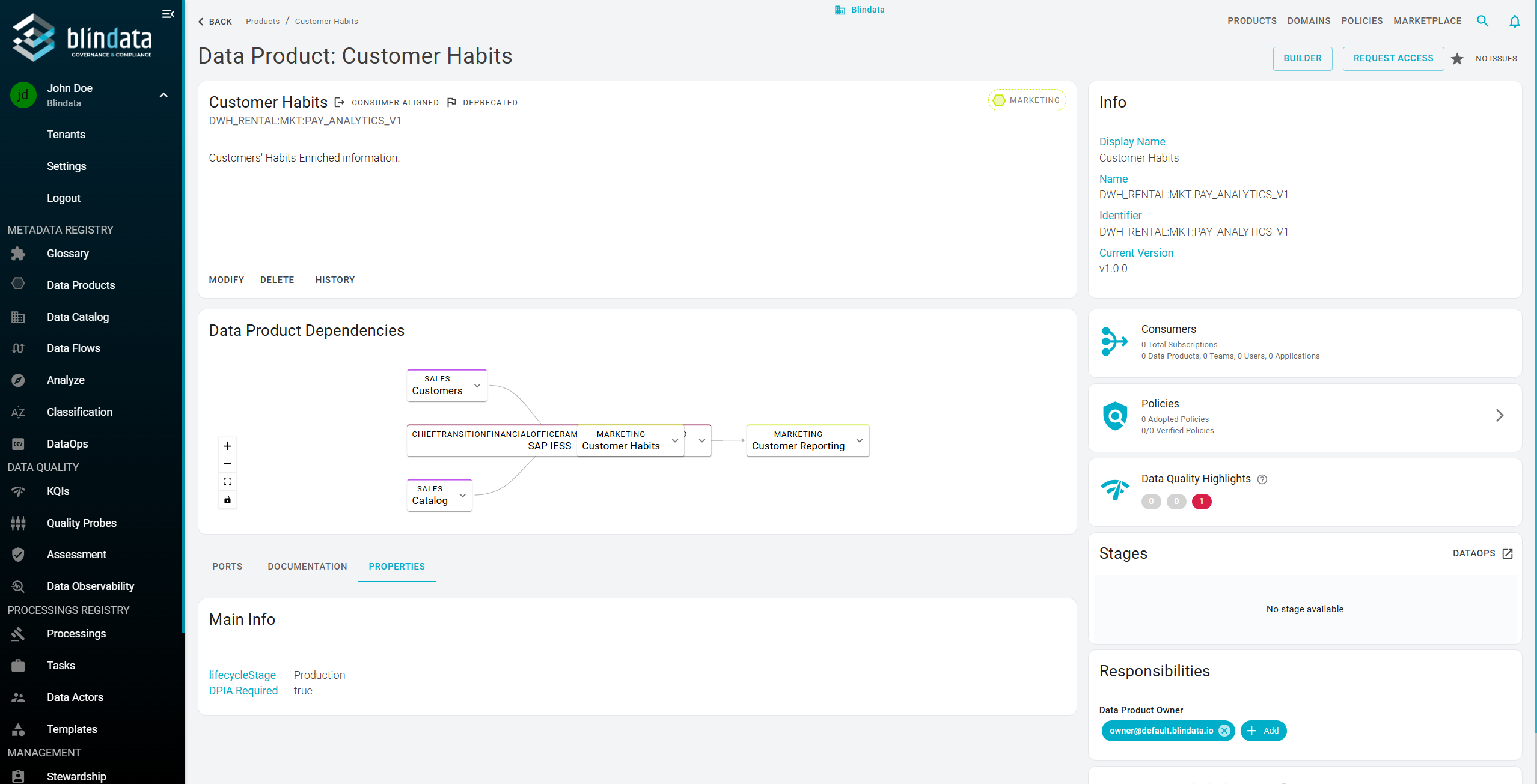
Conditional custom properties for marketplace access requests: Rendering rules can now inspect complex and nested resource data—including additional properties on the provider data product and its ports—to decide which fields appear in an access request. Marketplace administrators can collect information only when it is relevant to the requested product or port, while still making matching fields mandatory. Rules support nested objects, unordered array matching, literal values, and regular expressions. Custom Properties — Rendering Rules , Configure Custom Metadata for Access Requests
Other Key Updates
-
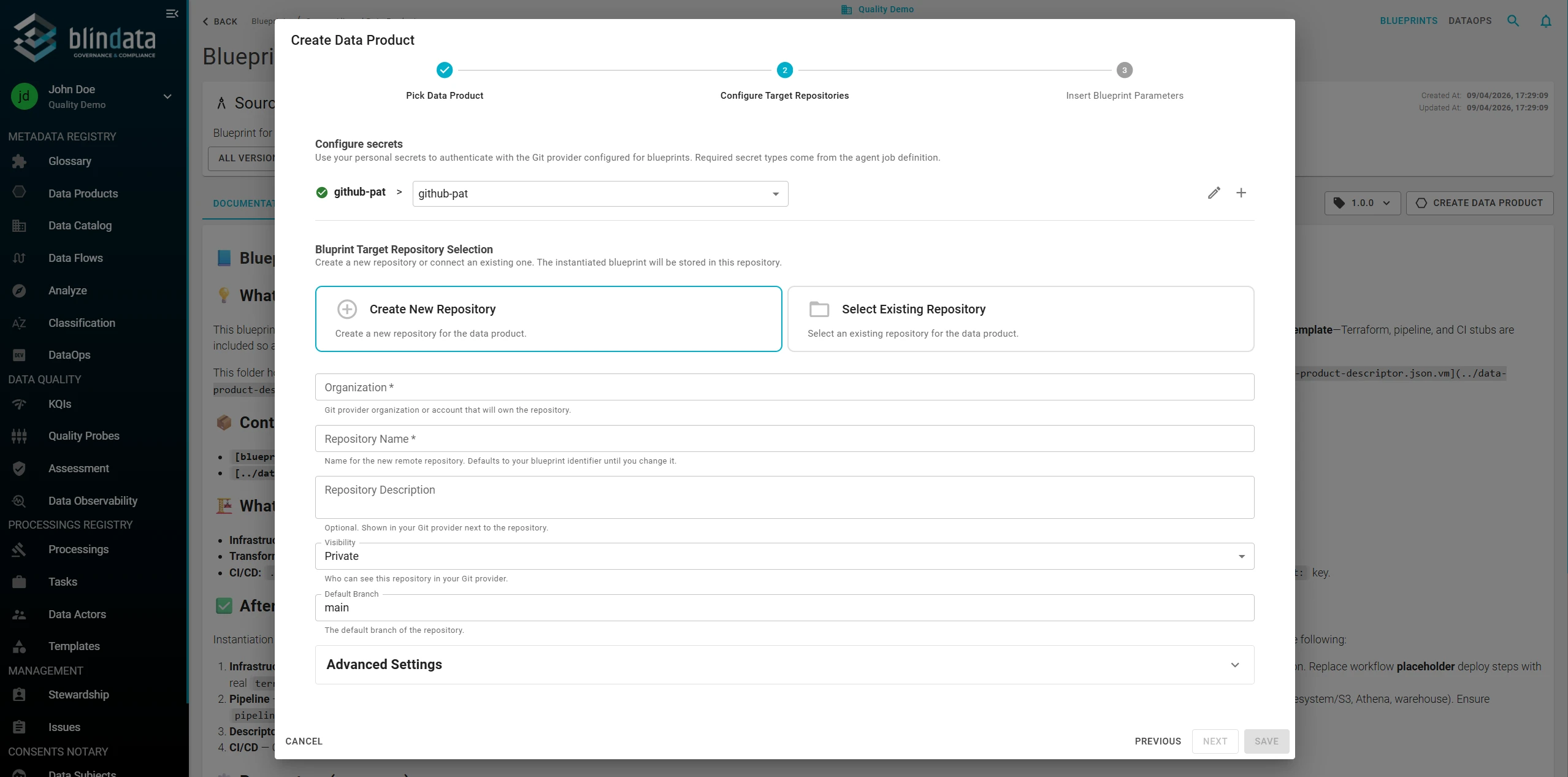
Initialize a data product repository from a blueprint inside the Builder: Blueprint-based initialization is now available directly from the Builder’s repository setup flow. Select a blueprint and version, configure the target repository and Git secret, provide manifest parameters, and follow provisioning progress without returning to the Blueprint catalog. The existing catalog-first flow remains available, so teams can begin from either the reusable blueprint or the data product they are already configuring. Data Product Initialization , Instantiate a Blueprint
-
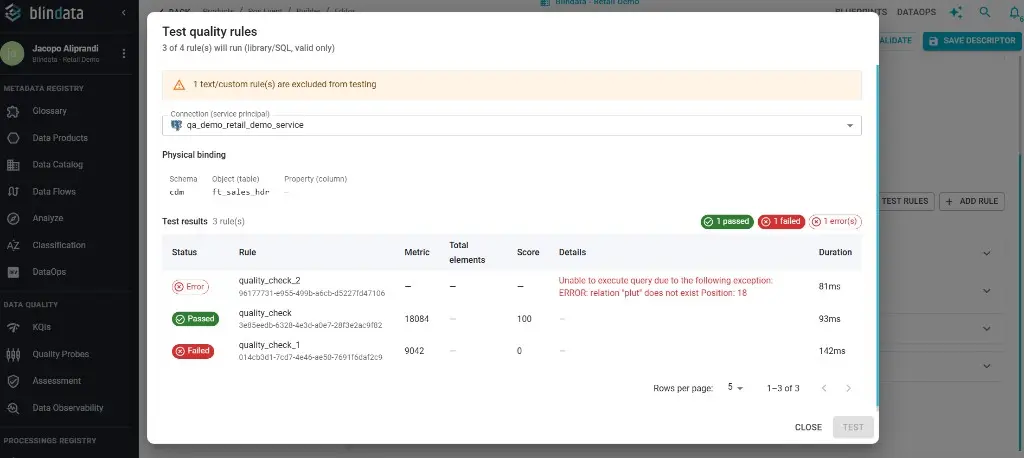
Test data contract quality annotations from the editor: Library and SQL quality rules can be dry-run against a live system while editing the descriptor. Select a service-principal Agent connection and physical binding, then inspect Passed, Failed, or Error results—including metric, score, details, and duration—before saving the contract. Edit a Data Product Descriptor — Quality annotations
-
Compare original and pre-processed SQL: Query Statement details now separate the original SQL from the normalized statement sent to the parser, with a side-by-side comparison that makes pre-processing rules easier to review and troubleshoot. Analyze SQL Statements
Versions
- blindata-api: v1.182.0
- blindata-ui: v1.177.0