Publish a Blueprint Version
Blueprint version management
Blindata provides version management for blueprints, enabling platform teams to publish, govern, and trace immutable versions of their blueprint definitions across the lifecycle. Each version is identified by a semantic version tag (e.g. 1.0.1) bound to a Git tag, ensuring full traceability from source control to consumption by Blueprint consumers.
Version publishing implements a controlled release flow: the manifest, templates, and supporting assets are captured at a precise commit before a version is exposed to consumers. A blueprint becomes instantiable only once it has at least one published version; unreleased work-in-progress on branches stays invisible to Blueprint consumers. Once a version is published, it becomes selectable in the blueprint detail page and available in the instantiation wizard .
Key capabilities
| Capability | Description |
|---|---|
| Version creation | Publish versions from any branch by creating a new Git tag, pre-filled with the version declared in the manifest at the selected commit. |
| Release notes | Enrich each version with a human-readable title and rich-text release notes shown to consumers on the blueprint detail page and versions list. |
| Immutability | Once a version is published, the tag itself is immutable to preserve lineage with any data product already instantiated from it. Title and release notes remain editable. |
| Discoverability | Published versions are surfaced in the blueprint detail page through a version selector and in the instantiation wizard, so consumers always pick a governed release. |
| Auditability | Every version records the publisher, publication date, source branch, and tag used, for compliance and change tracking. |
Use cases
- Promote a blueprint as ready for consumption: Tag the
mainbranch after review, add release notes describing what changed, and make the version selectable by Blueprint consumers. - Publish patch or pre-release versions: Create versions from release branches (e.g.
release/1.1) to ship bug fixes without promoting unfinished work frommain. - Govern and trace template evolution: Browse all published versions, understand what changed between releases, and keep a clean lineage between blueprint versions and the data products instantiated from them.
The Versions page is the central interface for managing blueprint releases: view all published versions, browse their release notes, and publish new ones from any branch.
Versions list
Open a blueprint and press ALL VERSIONS (or the link in the header) to reach the versions page.
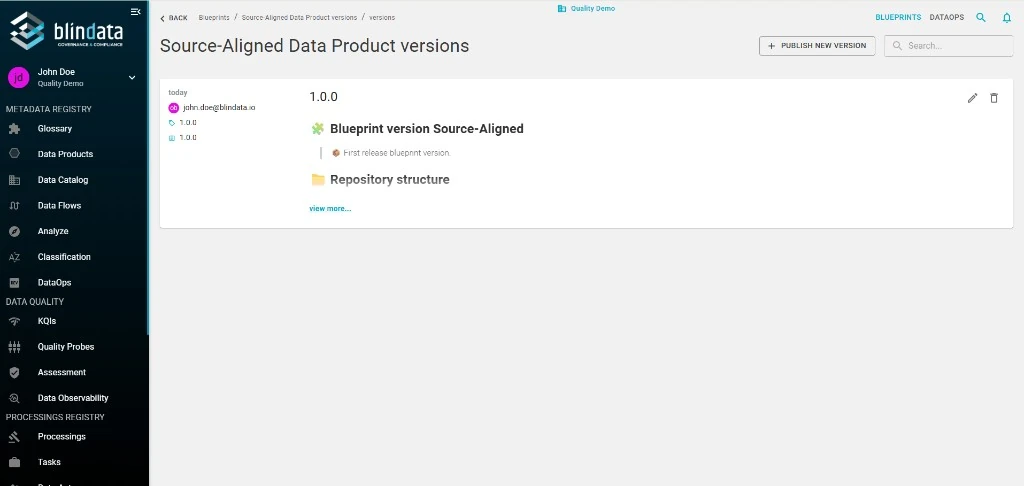
Each version card shows:
- Tag (e.g.
1.0.0) and publication date - Publisher (the user who published the version)
- Title and release notes (Markdown content rendered as rich text)
- Quick actions: edit (pencil) and delete (trash) icons
Use + PUBLISH NEW VERSION in the top right to release a new version.
Publish a new version
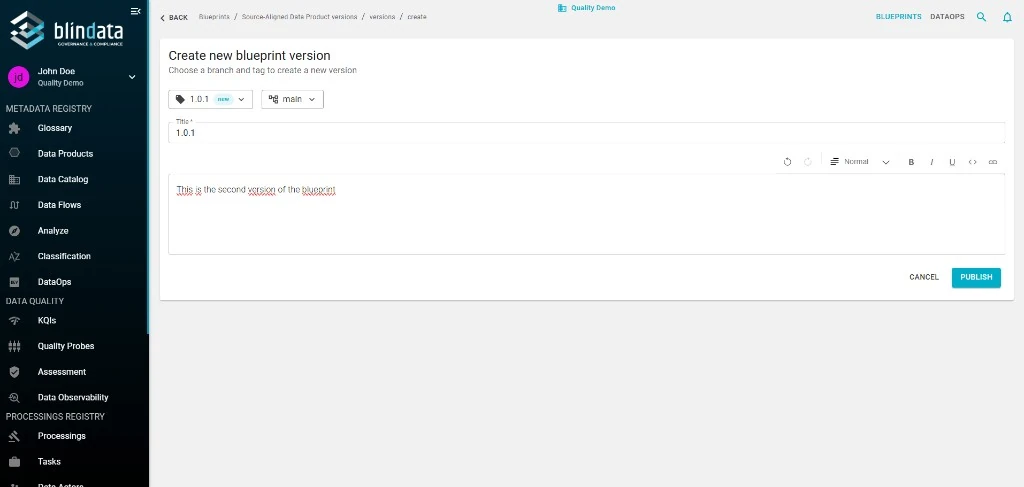
Fill in the form:
| Field | Description |
|---|---|
| Tag (required) | Semantic version tag to create (e.g. 1.0.1). Blindata highlights it with the new badge if it does not exist yet on the repository. Pre-filled with version of the manifest present in the repository on the branch selected. |
| Branch (required) | Branch the tag will be created from. Typically your default branch (e.g. main) or a release branch. |
| Title (required) | Short human-readable title. Pre-filled from the tag. |
| Release notes | Rich-text description of what changed in this version. Shown to consumers in the versions list and on the blueprint detail page when the version is selected. |
Press PUBLISH to create the Git tag and register the new version in Blindata. From that moment, the version becomes selectable in the blueprint detail page and in the instantiation wizard .
Edit a version
Existing versions can be updated from the versions list by clicking the pencil icon on the version card.
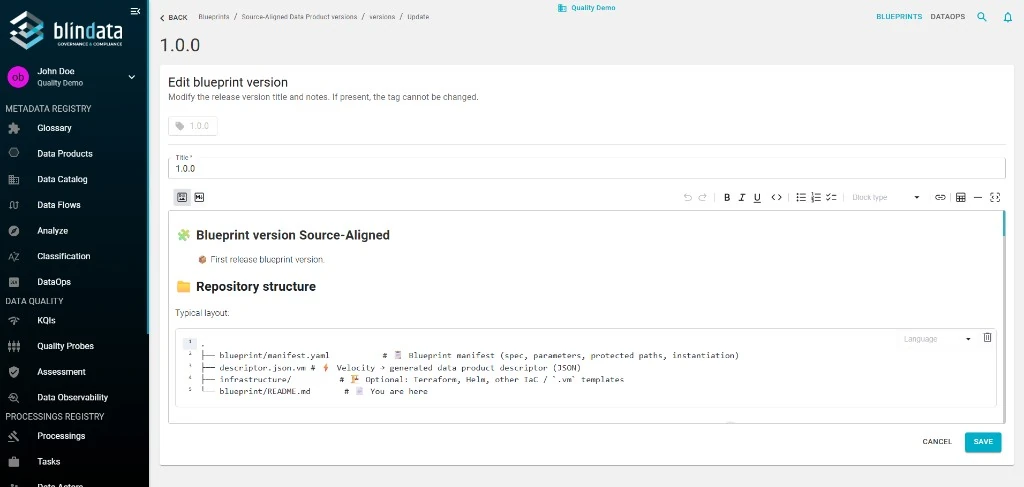
You can modify the title and the release notes of a published version; the tag itself is immutable once created, to preserve lineage with any data product that has already been instantiated from it.